
AI REAL ESTATE CINEMATIC ENGINE
Transform Property Photos into Cinematic Walkthroughs
Turn static listing photos into smooth HD virtual tours, drone flythroughs, and social reels. Boost listing engagement by 320% without expensive videographers.
Scene 01 / 04
Foyer & Entryway
Trusted by agents & brokers from leading firms
35,000+
35,000+ Listing Videos
3.2x
3.2x More Inquiries
4.9 / 5.0
4.9/5 Agent Rating
Create your AI listing video
AI Real Estate Video Generator from Photos
Upload property photos to generate AI room clips, arrange the scenes, and build your listing video.
Create your AI listing video
Upload property photos to generate AI room clips, arrange the scenes, and build your listing video.
1. Property photos
2–8 JPG, PNG or WEBP photos · up to 10 MB each.
Property photos
Add 2–8 property photos: living room, bedroom, kitchen, entrance or patio.
2. Choose camera movement
Choose a movement to try on your room photos.
Company logo (optional)
PNG, JPG, or WEBP up to 3 MB. The logo stays on this device.
Property video preview
AI camera movement
Property presentation example
From Photos to a Polished Real Estate Video in 2 Minutes
No complex video timeline, no keyframing. Our AI handles motion synthesis, camera stabilization, and music sync.
Upload Property Photos
Upload 3-10 photos of exterior, living room, kitchen, and bedrooms. Raw MLS or smartphone photos work seamlessly.
Select Camera Motions
Choose motion styles per scene: smooth forward walkthrough, drone orbital arc, subtle pan, or ceiling tilt-up.
Smooth Forward Walkthrough
3D Spatial Dolly
AI HD Synthesis & Audio Sync
Our neural engine generates 3D spatial depth, seamless cuts, and syncs licensed atmospheric real estate music.
✓ HD AI Synthesis & Music Synced
Instant Multi-Format Export
Export ready-to-publish 16:9 widescreen tours for MLS/YouTube and 9:16 vertical reels for Instagram & TikTok.
AI real estate video scene examples
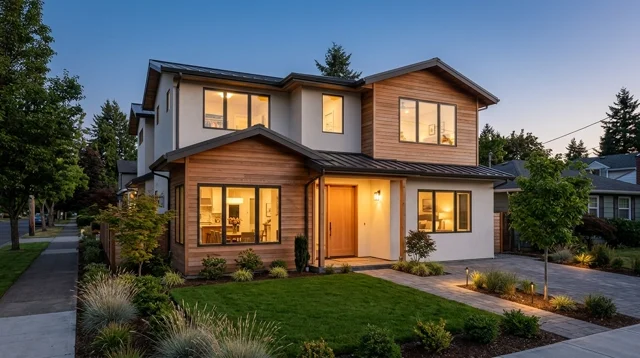
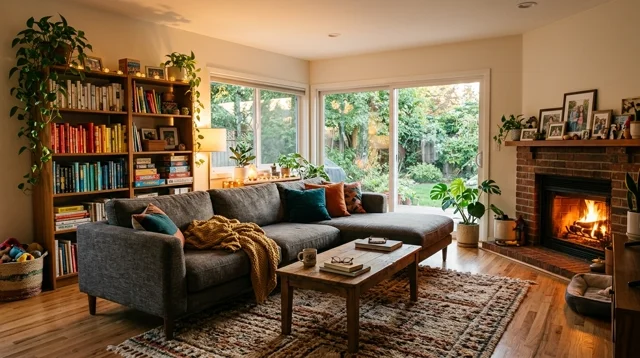
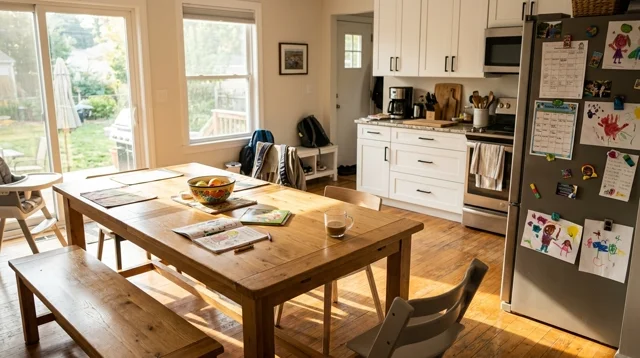
Explore prepared camera-motion clips and property photos from a family home and a coastal home. Use the tool above to create your own room clips and listing video.
Entering the home
Follow the entrance, hallway, living room, and kitchen through three scene clips and matching property views.
Scene clips and photos are examples. In the tool, arrange your own rooms and add labels and agent details to build a complete listing video.
FAQ
How do I create AI real estate videos from photos?
Add 2–8 JPG, PNG, or WEBP property photos, up to 10 MB each. Generate a camera-motion clip for each room, arrange the scenes, add your labels and agent details, then combine the completed clips.
How are credits used?
Each AI room clip uses credits. The tool shows the current per-scene quote and the total for remaining scenes before generation. Combining completed clips does not create another AI video task.
Can I create an AI real estate walkthrough video?
This tool assembles separate room clips into a room-by-room listing video. To create a camera move between two angles of the same room, choose the room walkthrough workflow on the AI video for real estate agents page.
Can I make a landscape or portrait video?
Yes. Choose landscape (16:9) or portrait (9:16). Check the framing before exporting; portrait layouts may crop the sides of wider clips.
What format will I download?
The tool exports MP4 or WebM depending on your browser’s recording support. The download uses the supported format. Keep this page open until the export finishes; if recording is unsupported, try another browser.