
Color Splash
Prepared effect example · current generation length: 5s
Design ideas in motion
Animate one room image or reveal a before-and-after design change. Preview an effect, add your images, and check credits before generating.
Watch the pool & villa videosThe room before the change.
Same viewpoint, finished design.
Loading current credit quote…
Color Splash
Your completed design videos will appear here.
Designs in motion
Compare how matching before-and-after images can guide a reveal. Choose an effect to use it in the tool while keeping your own images.
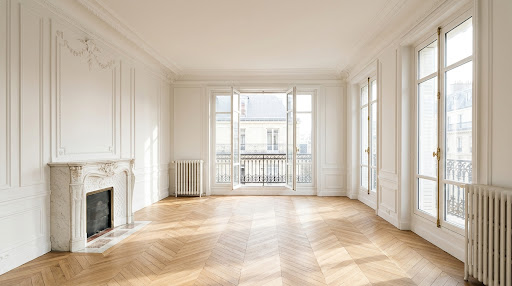
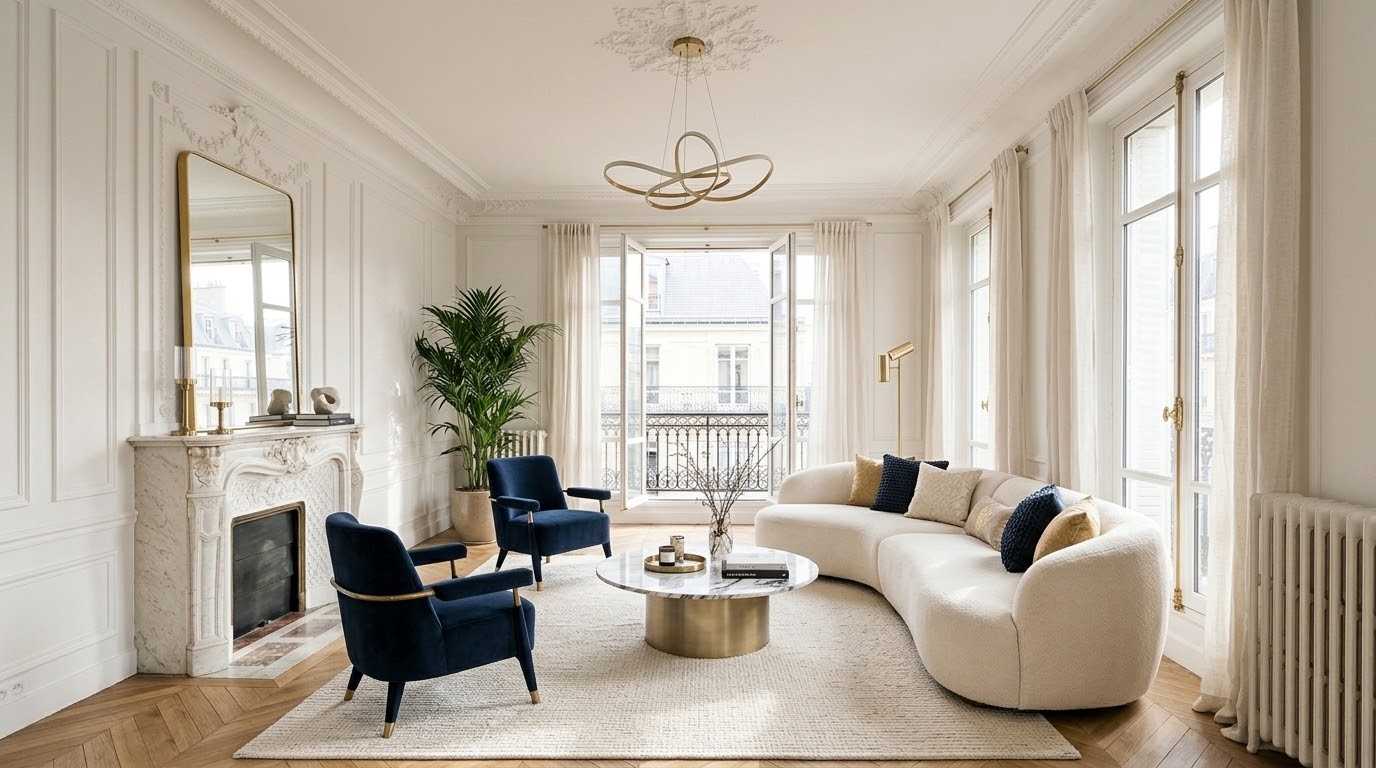
The same example room before and after furnishing. Use matching viewpoints for your own reveal.
Prepared effect example · current generation length: 5s
Prepared effect example · current generation length: 5s
Prepared effect example · current generation length: 5s
Outdoor video inspiration
Explore three camera views of a Mediterranean-style villa, with an infinity pool, stone terraces and flowering bougainvillea. These landscape showcase clips offer ideas for presenting an outdoor space in motion.
A forward glide brings the blue pool and open sea into focus, with the villa and terrace alongside.
Follow the water’s edge past the stone terrace and flowering villa facade.
A sideways view reveals the poolside seating, stone arches and bougainvillea.
One image adds camera movement. Two matching design images guide a before-and-after reveal.
Browse the thumbnail cards. Hover or focus a card to preview; select it to update the larger player.
Review your inputs and quote. Your completed video appears in the result player for review and download.
Yes. Choose Single Image, add a room photo or design image, and select a camera movement. Use a JPG, PNG, or WEBP image up to 10 MB. The video may infer details outside the original view.
Use two images of the same room from the same viewpoint: the starting design and the intended finished design. A virtual-staging image can be the end frame. Different camera angles belong in the room-view tool.
The prepared examples show camera movements, furnishing sequences, and design atmospheres. Your uploaded images appear separately. Generate a video to see your own result; the style examples do not automatically redesign your photo.
The current quote is shown before you generate. Single-image clips offer 4, 6, or 8 seconds; before-and-after clips are 5 seconds. Both offer 720p and 1080p. Prepared examples can have different lengths.
Use Room Angles & Walkthrough to generate another view of the same room or connect two viewpoints. Use the Listing Video Maker to arrange several rooms with labels and agent details into a complete presentation.
Furnish vacant rooms first to create the ideal before-and-after pair for video transitions.
Generate another angle of the same room, then connect two views into a camera video.
Arrange several rooms with labels and agent details into one property presentation.