Virtual Staging AI for Real Estate Photos: A Practical Guide
Learn how virtual staging AI helps real estate teams prepare listing photos, avoid misleading edits, and create buyer-friendly room concepts.
 Lucenade Team
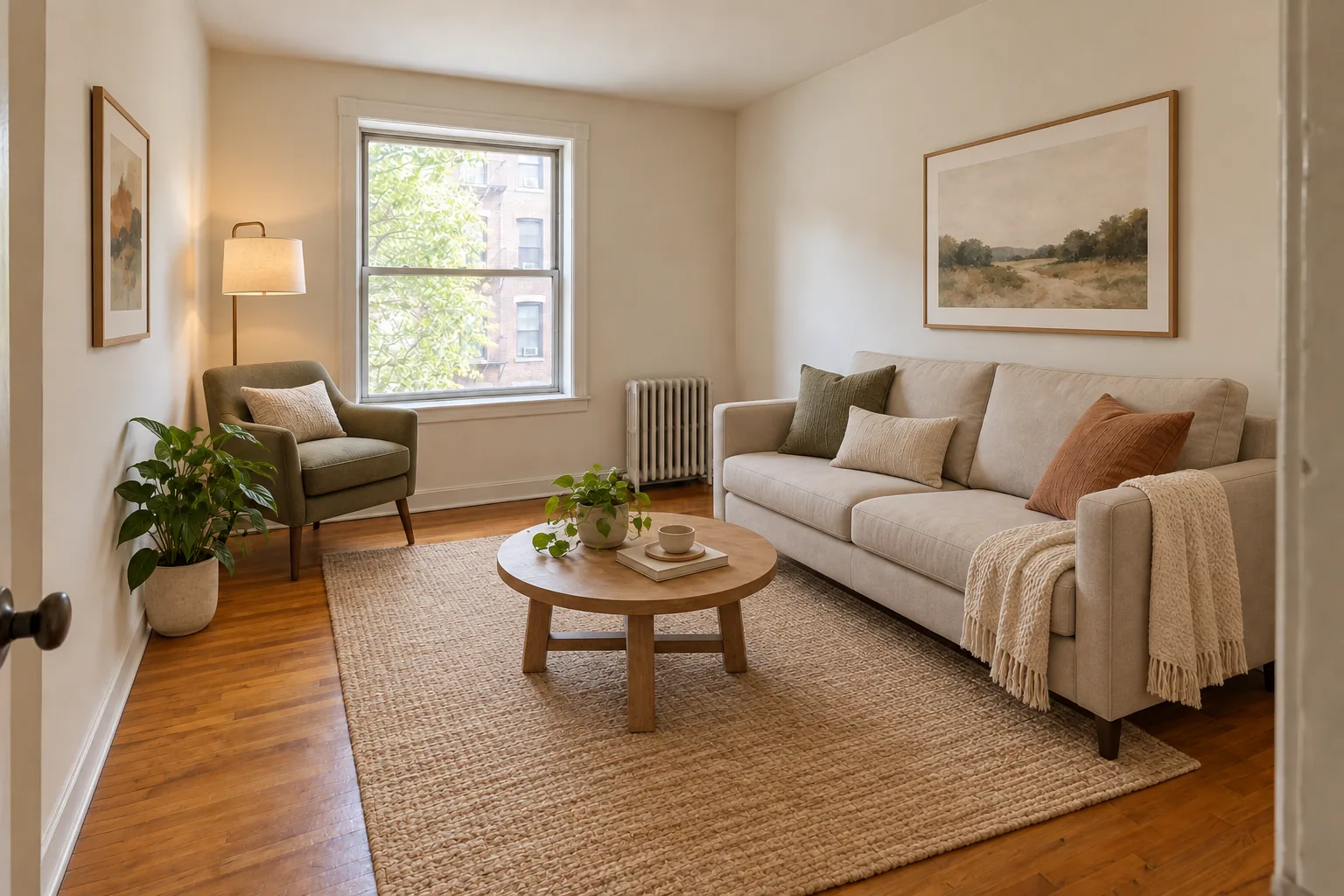
Virtual staging AI can help an empty room feel easier to understand. A vacant living room, bedroom, or dining area may look cold in listing photos because buyers have to imagine scale, furniture placement, and everyday use. A staged version gives them a visual starting point.
The goal is not to hide problems or create a fantasy home. Responsible virtual staging should show a plausible furniture plan, respect the real room, and make it clear that the image is digitally staged when used in a listing context.
Start with a strong property photo
Virtual staging AI works best when the original photo is bright, level, and wide enough to show the main boundaries of the room. Include the floor, ceiling line, windows, doors, and any built-in features. The model needs those cues to place furniture at a believable scale.
Avoid photos with heavy blur, extreme wide-angle distortion, or blocked corners. If a room has a distinctive feature, such as a fireplace, bay window, built-in shelving, exposed beams, or a sliding door, keep it visible. Those details make the staged image more useful to buyers.
Clean the room before shooting. Even if the space is empty, remove construction dust, loose wires, temporary signs, and random storage items. The cleaner the base image, the more natural the virtual staging result will feel.
Choose furniture that matches the property
A small apartment, a family house, and a luxury penthouse should not receive the same staging plan. The furniture style should match the likely buyer, the room size, and the property's price point. Virtual staging AI is more convincing when the prompt describes both the room and the market position.
For example:
- A compact condo may need a slim sofa, round dining table, and light Scandinavian palette.
- A suburban family room may need durable textiles, warm wood, and practical storage.
- A luxury listing may need larger statement pieces, layered lighting, art, and refined materials.
Use a clear style direction, but avoid asking for too much at once. "Contemporary warm neutral staging with a low-profile sofa, textured rug, oak coffee table, and indoor plants" is easier to control than a long list of unrelated trends.
Keep the architecture honest
Good virtual staging preserves walls, doors, windows, flooring, built-ins, and ceiling shape. It should not remove damage, enlarge windows, hide stains, cover structural problems, or make the room look bigger than it is. These changes may create buyer distrust and can violate local listing rules.
If the photo needs repair or decluttering, separate that from staging. A digitally staged image can add furniture and decor, but it should not pretend that defects are gone. When in doubt, disclose clearly and use the edited image as a concept, not a replacement for accurate property documentation.
Write a useful staging prompt
A virtual staging AI prompt should describe the room, furniture plan, style, and constraints. The most useful prompts include practical details:
- Room type: vacant living room, primary bedroom, dining room, studio, home office, nursery, or guest room.
- Style: warm modern, Scandinavian, transitional, coastal, minimal, classic, or luxury contemporary.
- Furniture: sofa, bed size, dining table, rug, lamps, desk, storage, art, and plants.
- Constraints: keep windows visible, do not change floors, preserve fireplace, leave walking path open.
Example: "Virtually stage this empty living room for a modern real estate listing. Add a cream sofa, oak coffee table, textured rug, two accent chairs, warm floor lamp, neutral artwork, and a few plants. Keep the windows, floor, fireplace, and room layout unchanged."
That kind of prompt uses the main keyword naturally while giving the system a real design brief.
Compare staged versions like a buyer
After generating a staged result, step back and review it as a buyer would. Does the furniture make the room feel usable? Does the layout explain where the TV, dining area, bed, or desk could go? Does the image make the room easier to understand without feeling fake?
Check scale carefully. A sofa that is too deep, a bed that blocks a closet, or a dining table that leaves no walkway can make a listing feel less trustworthy. If the layout feels cramped, ask for smaller furniture or a simpler staging plan.
Lighting matters too. Staging should make the room feel inviting, but it should not completely change the time of day or create unrealistic sunlight. A slightly brighter, cleaner presentation is fine; a room that looks physically different is risky.
Disclose digital staging
Real estate rules vary by market, brokerage, and listing platform. Many professionals label edited images as "virtually staged," "digitally staged," or "conceptual furnishing." A clear label protects buyers and helps keep the marketing honest.
Use the unstaged photo alongside the staged image whenever possible. The original photo shows the actual condition, and the staged image shows the potential use. Together, they answer more questions than either image alone.
Use staging as a communication tool
Virtual staging AI is strongest when it helps a buyer understand space, not when it tries to hide reality. It can suggest how a room might function, reveal scale, and make a listing more approachable. It can also help agents, owners, and photographers discuss which rooms need more attention before launch.
The best workflow is simple: shoot a clean empty room, choose a realistic style, write a prompt with constraints, generate a few options, and publish only the version that respects the real property. You can explore this workflow directly with our Virtual Staging AI tool or test whole-home concepts in AI Room Design. Used that way, virtual staging AI can improve presentation while keeping trust intact.