AI Exterior Design: Preview Curb Appeal Changes From a Photo
Learn how to use AI exterior design to compare siding, paint, trim, porch, window, and landscaping ideas from one house photo.
 Lucenade Team
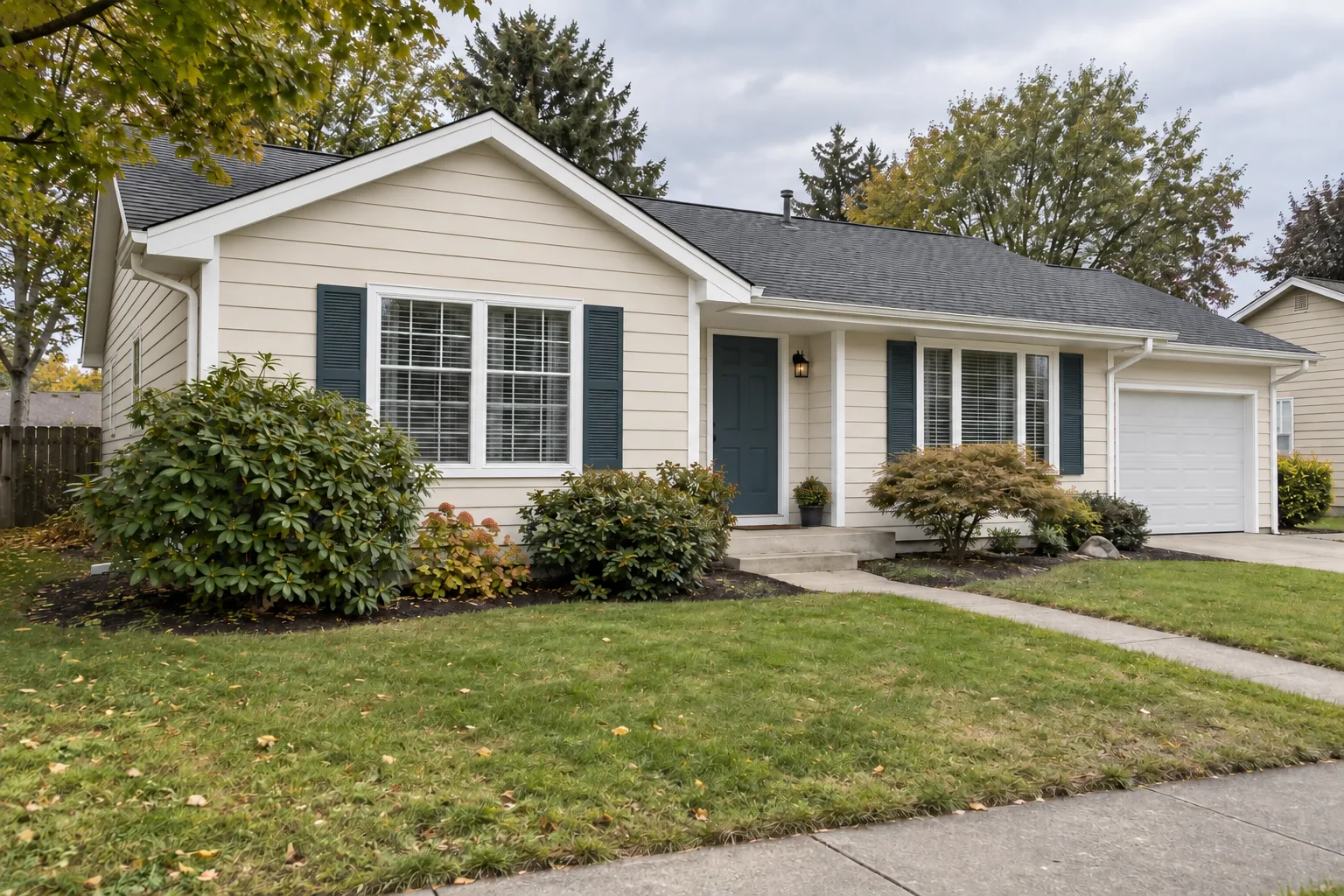
AI exterior design helps homeowners and property teams explore curb appeal before committing to paint, siding, trim, roofing, porch updates, or landscape changes. A single exterior photo can become a useful visual brief for comparing materials and color direction.
The best use is early planning. A generated image can show whether dark siding feels too heavy, whether natural cedar warms the facade, or whether a lighter trim color improves balance. It cannot confirm building codes, structural details, product availability, or installation cost.
Take a clean exterior photo
Photograph the house from a straight, readable angle. Include the roofline, windows, entry door, porch, driveway or walkway, and enough surrounding context to understand scale. If trees block the facade, take a second photo from another angle.
Shoot in even daylight when possible. Harsh midday shadows can hide siding texture and trim lines. Wet pavement, seasonal decorations, vehicles, bins, and construction materials can also distract from the design task.
For an exterior redesign preview, the model needs to understand the true architecture. Keep important features visible: dormers, gables, columns, railings, steps, garage doors, window frames, and foundation lines.
Choose the level of change
Exterior updates can be cosmetic or construction-heavy. A light refresh may include paint, shutters, front door color, porch lighting, and simple landscaping. A deeper remodel may include new siding, roof color, cladding, railing, garage door style, window trim, or entry structure.
Be honest about what you are willing to change. If the roof is staying, say so. If the windows cannot move, include that. If you only want paint and trim ideas, do not ask for a completely new facade.
Useful constraints include:
- Keep the roof shape and window positions.
- Preserve the existing porch and steps.
- Do not change the driveway or garage opening.
- Explore paint, siding, trim, and landscaping only.
- Keep the design appropriate for the neighborhood.
Write a useful exterior prompt
A strong prompt describes material, color, style, and fixed features. It should sound like a design brief rather than a list of keywords.
Example: "Create an AI exterior design concept for this house. Use warm white siding, black window trim, natural cedar porch accents, a muted green front door, simple path lighting, and low-maintenance planting. Keep the roof, windows, driveway, and porch structure unchanged."
For a darker direction: "Preview a modern exterior refresh with charcoal board-and-batten siding, cedar soffit accents, black garage door, warm entry lighting, and structured evergreen landscaping. Keep the original roofline and window placement."
Compare curb appeal in layers
Review exterior concepts one layer at a time. Start with the largest surface, such as siding or paint. Then look at trim, front door, porch, lighting, garage, and landscape. If every element changes at once, it can be hard to tell which decision actually improved the home.
Ask practical questions:
- Does the color palette fit the roof and fixed masonry?
- Is the front door easy to identify?
- Do trim colors support the windows instead of fighting them?
- Does landscaping frame the entry without hiding the house?
- Would the update still look good in winter or cloudy weather?
To focus on specific exterior components, explore our AI Curb Appeal Visualizer to preview full street-view front facade makeovers, test entrance accent colors with the Front Door Paint Visualizer, use the Exterior Paint Visualizer for siding and trim swatches, or test cladding with the Siding Visualizer. For entryways and outdoor living, explore AI Porch Design, plan narrow stoops with Small Porch Design AI, or map out stone patios and garden borders with Backyard Landscape Design AI.
Exterior previews can produce polished images quickly, but the most useful version is the one that respects the actual building.
Watch for unrealistic changes
Generated exterior images may alter window size, roof pitch, stair geometry, railing height, or structural details. Treat those changes as concept art until a professional reviews them. Exterior work may involve local permits, HOA rules, drainage, fire codes, historic district requirements, or product limitations.
Do not use a generated image to imply that a property already has upgrades it does not have. If you share an exterior concept in a listing or marketing context, label it as a visualization.
Turn the concept into a planning checklist
After choosing a direction, write down the visible decisions: siding profile, paint color family, trim contrast, front door color, porch material, lighting style, garage door treatment, and planting mood. Save the original photo beside the generated concept so the difference stays clear.
This kind of exterior concept is not a substitute for a contractor, architect, or local code review. It is a fast way to compare curb appeal ideas, narrow your material palette, and communicate a visual direction before investing in samples or bids.